
add your own music into ets2/ats radio
Have you ever wanted to play your own music in the game radio instead of having Spotify, YouTube, or other apps in the background consuming resources from your game and lowering the performance of your PC?
Well, I’ve got you covered because in this guide I’ll show you how you can add your own downloaded music into the ETS2/ATS radio so you can adjust the music from the game itself.
how to add music in the radio
1. Download the music that you want. You can make this in a lot of ways. I can’t help you with that due to legal copyright reasons. You need to do your research on this. You can use YouTube for this. (Optional) Make a folder with all downloaded songs, preferably in .mp3 format (just to organize them).
2. Copy all the .mp3 files that you’ve downloaded and go to this path: Documents > Euro Truck Simulator 2 > music
4. Right click inside that folder and select “Paste”.
5. Now, you can close that folder and open your game.
6. Access the in game radio and navigate to the tab that says “Music Player”.
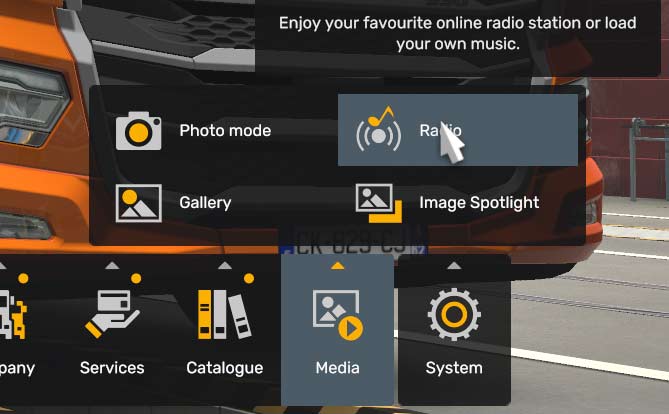
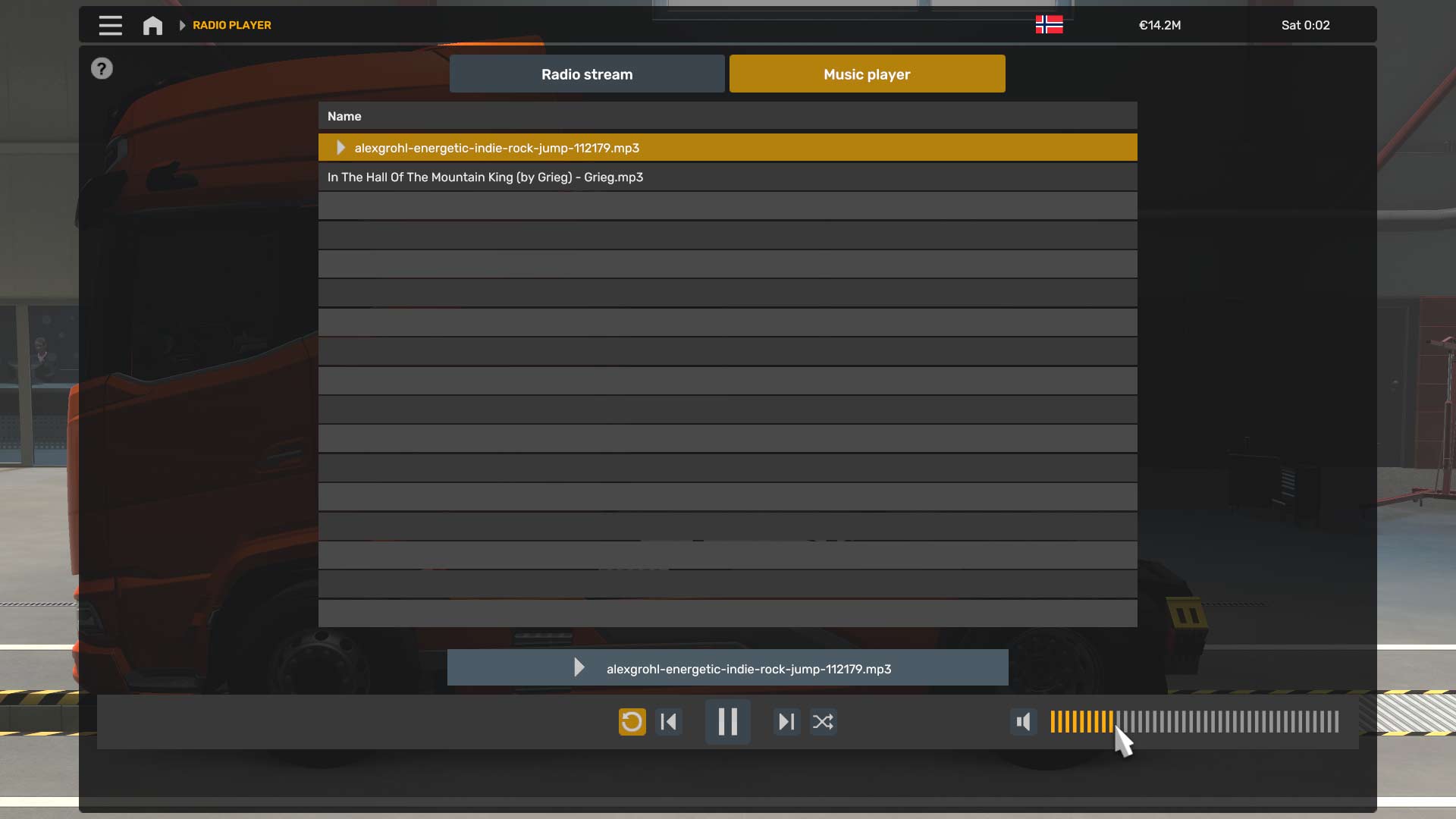
From there you can select any song you want to play first, and then it will continue playing the following ones. I recommend you selecting the first one on the list as it won’t skip any songs.
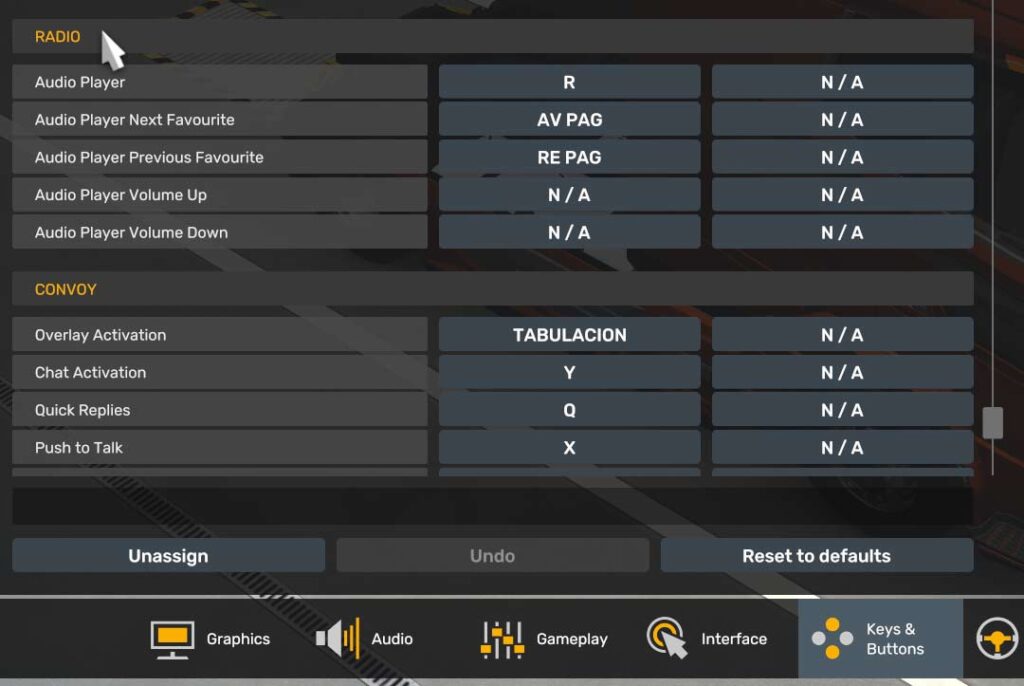
You can adjust everything from the music player, or you can also adjust the shortcuts in the settings. To modify them, go to the “Keys & Buttons” tab in the settings and scroll down to the Radio settings. There you can adjust all the hotkeys available.
Now you are ready to go! You have all your music downloaded offline in the Euro Truck Simulator 2 / American Truck Simulator radio system. This means that even if you don’t have internet available, you would still be able to listen to that music.
If you found this guide helpful, I remind you that I have more like this one on this web or on my YouTube channel, you can go check them out if you want!
