
euro truck simulator 2 promods installation guide
Do you want to expand your ETS2 map to include countries like Iceland, northern Africa, or even Greenland? No problem! I’ve got you covered
In this guide I’ll show how you can add this massive map expansion into the game.
how to download promods for ets2
what you need
Before downloading the mod, you need to own all map DLC’s for ETS2. Which are:
- Going East Map DLC
- Scandinavia Map DLC
- Beyond the Baltic Sea Map DLC
- West Balkans Map DLC
- Road to the Black Sea Map DLC
- Iberia Map DLC
- Viva la France! Map DLC
- Italia Map DLC
- Greece Map DLC
- Nordic Horizons DLC (maybe not required right now, but in the future, it will be).
step by step
1. The first thing you need to is go to the official page of ProMods and select ProMods Europe (in case you want to install the base map for the ProMods expansions in Euro Truck Simulator 2)
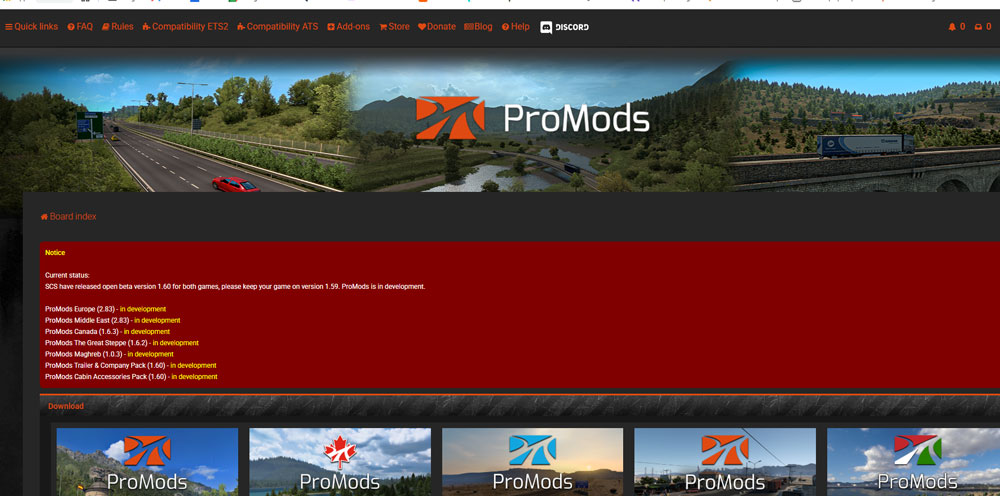
2. Check the compatibility tab on the page to verify that the last version of ProMods works with your current game version. On that page, you can verify the game version compatible with the current version of ProMods and see the required DLC’s, basically all of them except Nordic Horizons at the moment.
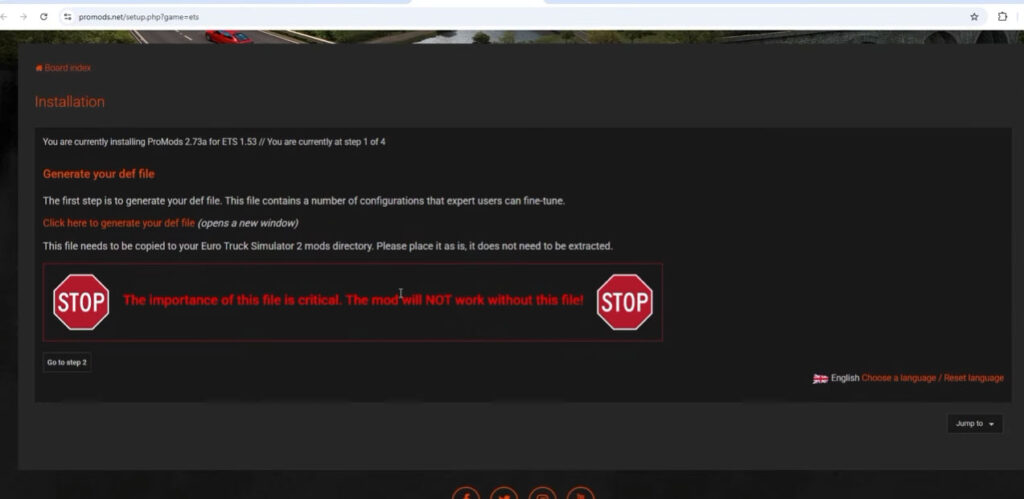
3. If you meet these requirements, click on “install” and proceed to generate a “def” file. Just click on the red text, and it will open a new tab. There you’ll need to select some parameters; I recommend leaving everything at its default settings except for the vegetation drawing distance, which affects game performance based on your computer specs. In my case, I’m keeping it standard because I have an average PC and my GPU isn’t very powerful these days.
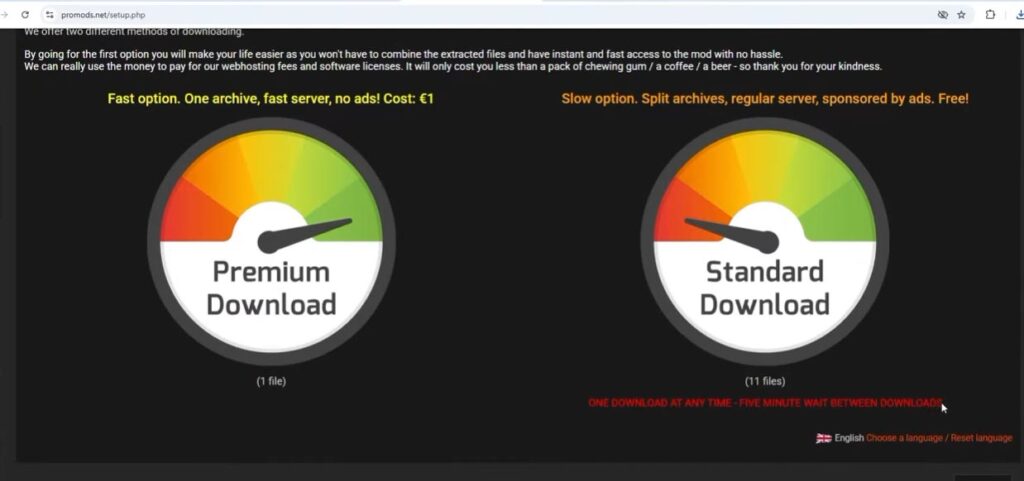
4. Now, go back to the previous page to continue. You’ll need to download a total of 11 files. You can either pay 1€ to download all the files at once or download them one by one, with a 5-minute wait between downloads.
5. Once you’ve downloaded all the files, open your file explorer and go to your Downloads folder. You’ll see the 7-zip files along with the def file. First, extract the 7-zip files using 7-zip. If you don’t have this program, you can download it here.
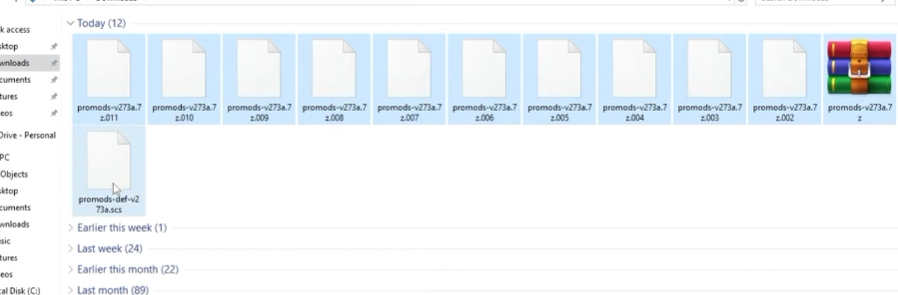
Just select them, right-click, select 7-zip on the list, and choose the option “Extract files.” Then, copy the def file to the following path: Documents > Euro Truck Simulator 2 > mods and paste it there.
6. After that, go back to your Downloads folder, copy all the extracted files that you have in this folder, and paste them into the same mods folder.
7. Next, launch the game and open the mod manager, either on your existing profile or on a new one. I highly recommend setting the mod exclusively on a new profile so you can have a separate profile to not mess with the Steam achievements. Belive me, this is more important than you think lol.
8. Now, this is very important: activate all the mods related to ProMods and arrange them in exactly the order shown here, or the game might crash.
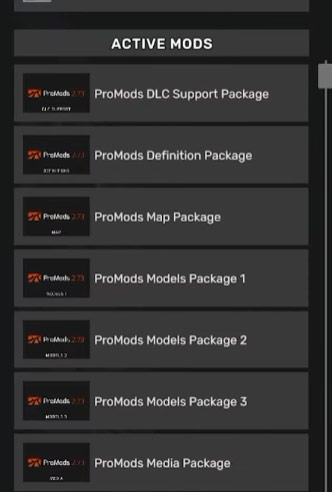
9. Once you confirm the changes, log in to your profile. As you can see, you’ll now have many more regions available, and you can even install add-ons to expand your map even further.
If you’d like a video/page about add-ons, just let me know in the comments!
If the ProMods files show a red circle in the mod manager, this is because the game version doesn’t match the downloaded ProMods version. You can change the version of the game by going to Steam > Library > Euro Truck Simulator 2 > Properties > Game Versions & Betas > [Select the desired version].
To know which version you need to download on Steam of the game, you need to know which version of Promods you downloaded, which you can check in the download files [2.xx]. Then, in the compatibility tab of the ProMods page you can see which version of Euro Truck Simulator 2 is compatible with that version of ProMods.
If you have any question or issue, feel free to go to my YouTube video where I cover this topic and leave a comment. You can also check the comments of the video if your issue has already been fixed for another person.
If you found this guide helpful, I remind you that I have more like this one on this web or on my YouTube channel, you can go check them out if you want!
