
ETS2 multiplayer truckersmp guide for ETS2/ats
Do you want to play on a server with thousands of players?
Well, I’ve got you covered! On this page you’ll find how to play Euro Truck Simulator 2 (ETS2) or American Truck Simulator (ATS) online with TruckersMP in less than 3 minutes.
Also, at the end of the article, I’ll share with you some basics things to know about this game mode that you’ll sooner or later require to know 😉
Step by step:
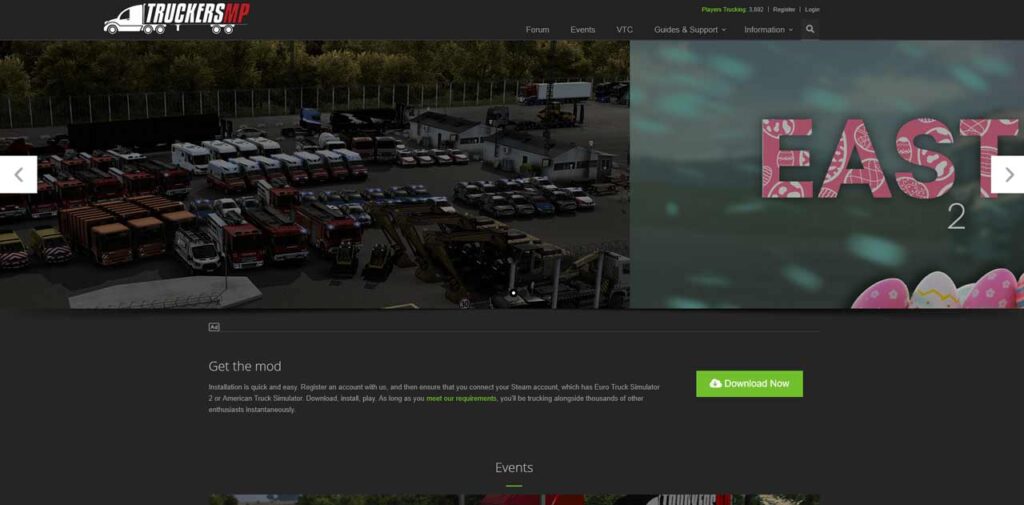
1. The first thing you need to do is go to truckersmp.com. You will need to create an account on the page, but before doing that, please follow the next step.
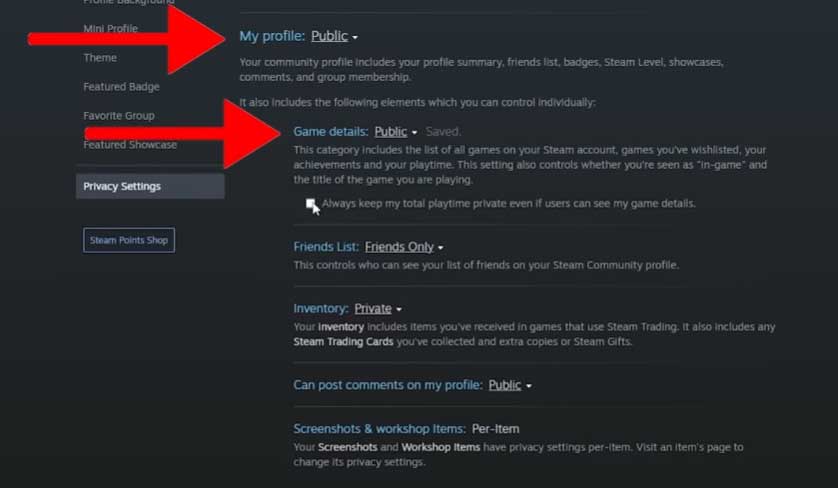
2. Open Steam, go to your profile, click on “Edit profile”, then go to “Privacy settings” and check that the first two settings (My profile, Game details, and the checkbox below) that you have match the ones on the image below. You need to have them public before creating the account on TruckersMP so that the systems can see that you own the game and link it to your new account.
3. Now, we can proceed to create the account at TruckersMP, just hit the “Register” button at the top left corner of the screen and connect your account with Steam.
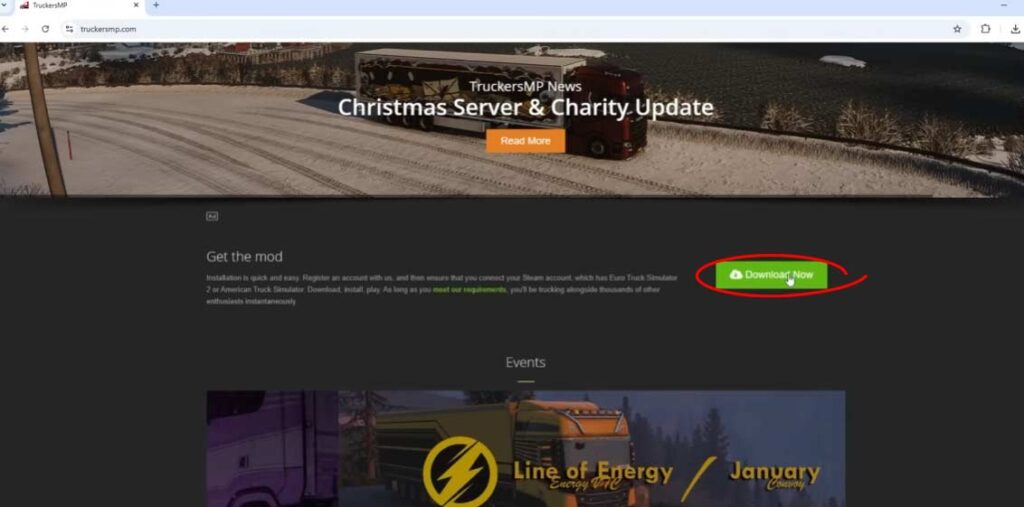
4. Once you have your TruckersMP account linked with Steam, you can go to the main page and hit the “Download” button that is to the right of the text “Get the mod”. Be careful not to click the fake buttons of the ads.
A file named “TruckersMP-Setup.exe” should start downloading.
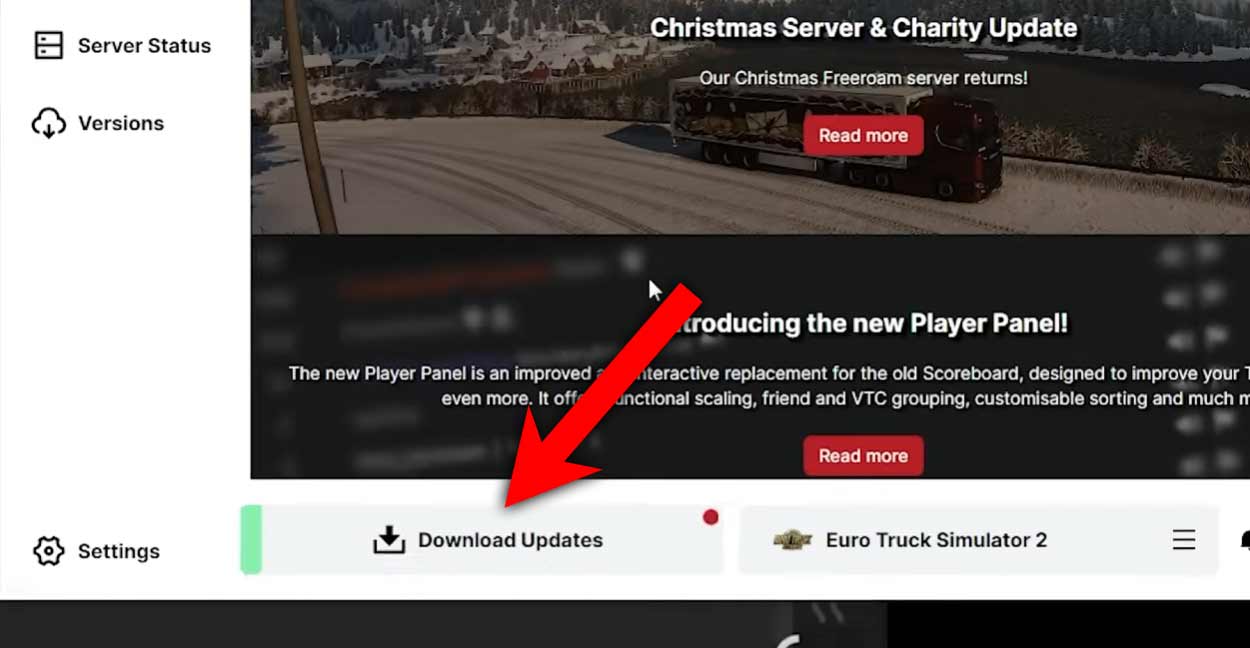
5. Once the file finishes downloading, open it and click “Download Updates”.
6. Select the game you want to play by switching the option on the button on the left and click play.
7. Once you enter the game, a new login menu will appear where you need to enter the account details that you filled in on the TruckersMP page.
I remind you that you should check the “Remember Me” checkbox to not have to re-enter the account details manually every time you launch the game.
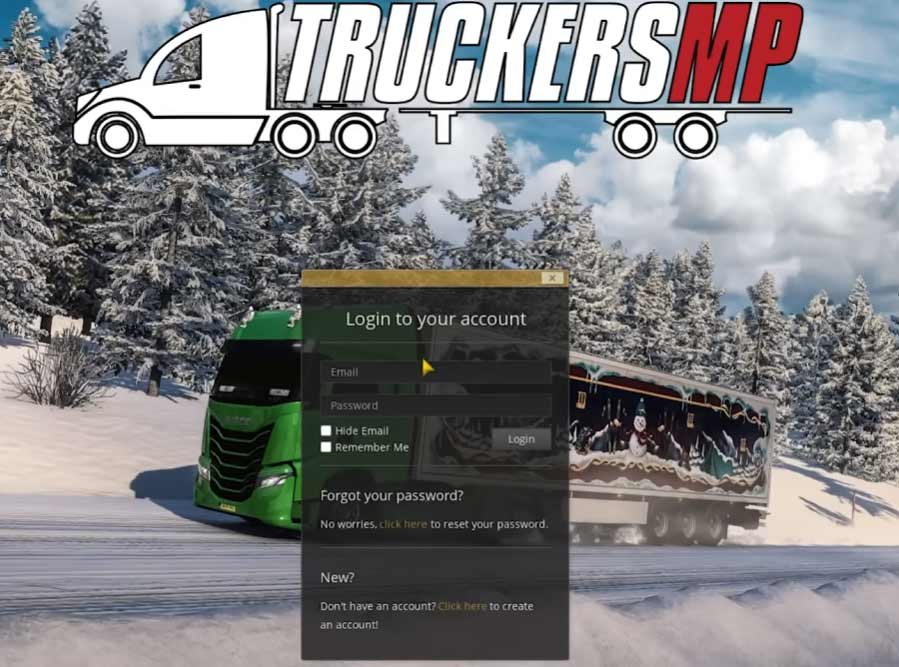
8. After you click on “Login”, you will have to accept the game rules, and a new menu will appear, this time you’ll need to select the server you want to play on. The “main” server is Simulation 1, which is always the most crowded one with a max capacity of 5000 players right now and growing.
9. Now log in to your ETS2 profile as you would normally do, and when you click on the “Drive” button, you’ll be automatically connected to the server.
basic truckersmp commands
If you press the Tab key, you’ll see the list of all the players near you, including you, at the top of the list. You can close this list by pressing the Tab again.
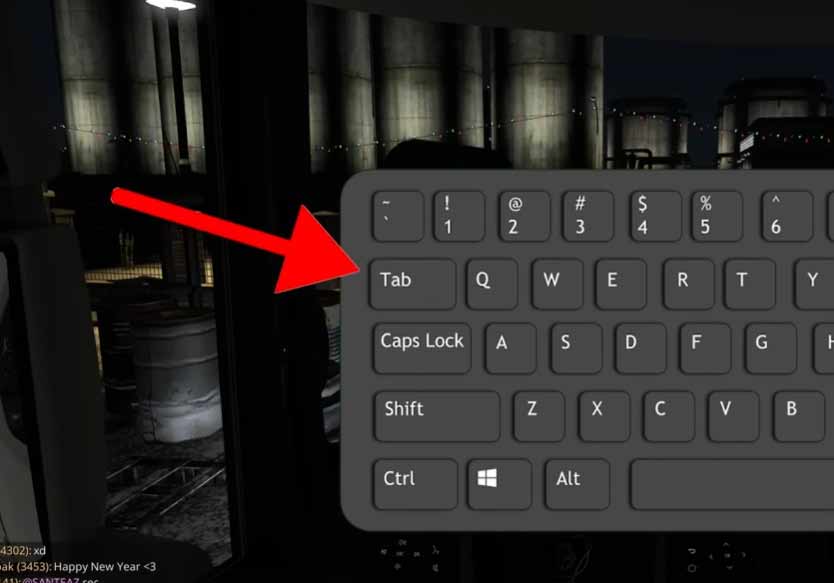
Also, (this is a little bit OG) I recommend you check your number assigned to your session, as many players refer to you for your number or now with your @ through the chat.
You can press the key Y to open the chat and send a message.
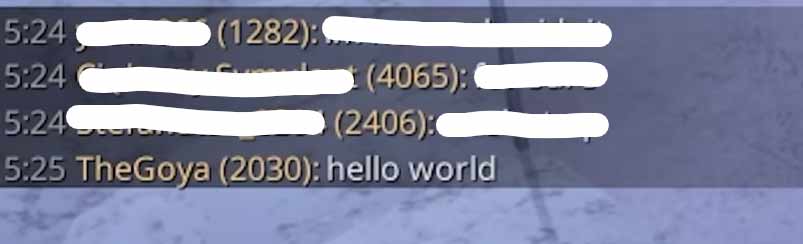
If you type / on the chat, you can have a look at all useful chat commands like /fix, which fixes all the damage of your truck without needing to go to the service, or /players which returns the current number of players that are in the server.
Typing @ and the number of the player that you want to grab his attention will write his/her nickname on the chat when you send the message. For example, in the last screenshot, if someone typed @2030 in the chat, it would appear as “@TheGoya”.
I leave all the rest of the commands to you to discover because, believe me, TruckersMP is more than just an additional mod to the game (I have more hours in this game mode than in the single-player mode). Thanks to it, we have the VTC’s system (Virtual Trucking Company), convoys, and amazing events such as their famous “Real Operations”. You can have a look at all the things that they offer on their website.
Enjoy the online mode of Euro Truck Simulator 2 or American Truck Simulator! 🙂
Lastly, I remind you that if you run into issues, the most common fix is to verify the compatibility of the game version with the mod version (you can’t play TruckersMP while being on a beta version of the game).
If you have any question or issue, feel free to go to my YouTube video where I cover this topic and leave a comment. You can also check the comments of the video if your issue has already been fixed for another person.
If you found this guide helpful, I remind you that I have more like this one on this web or on my YouTube channel, you can go check them out if you want!
