
Do you want to drive buses in ETS2 or ATS like the one of the above?
Well, I’ve got you covered! On this page you’ll find how to download and install a bus mod for Euro Truck Simulator 2 (ETS2) or American Truck Simulator (ATS) in less than 3 minutes. So, if you want to drive buses in ETS2 or ATS, stick around.
Also, at the end of the article, I’ll share with you some mods that maybe you will find interesting 😉
Step by step:
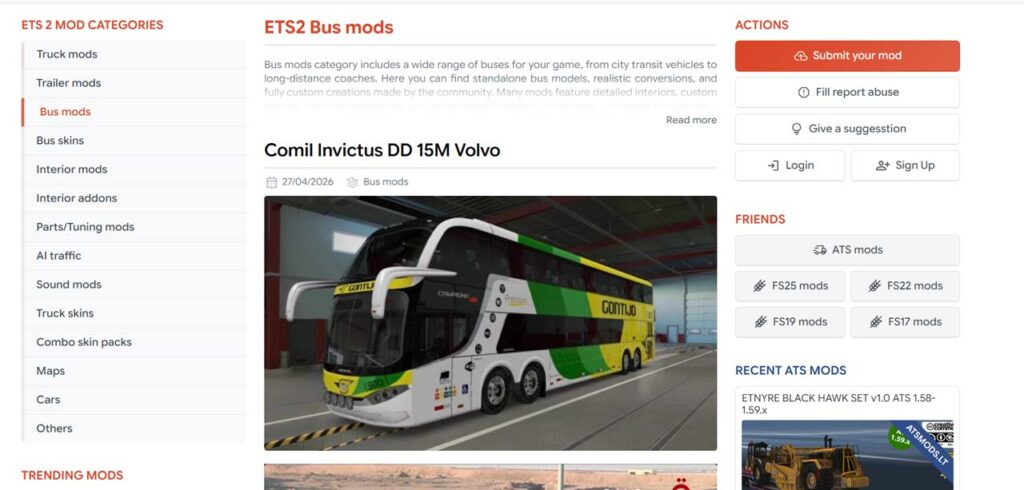
1. Find a bus mod that you like: you can check some popular mod pages of ETS2 and ATS to download one, like ets2.lt or ets2world. But be careful not to download a virus or get malware by clicking on the false download buttons and not the real button itself (more about this one step ).
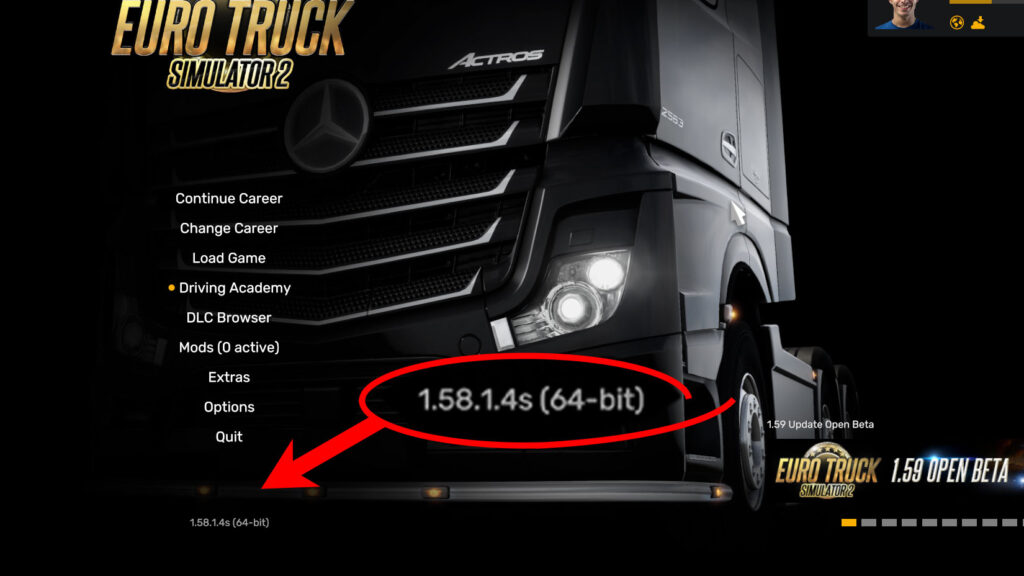
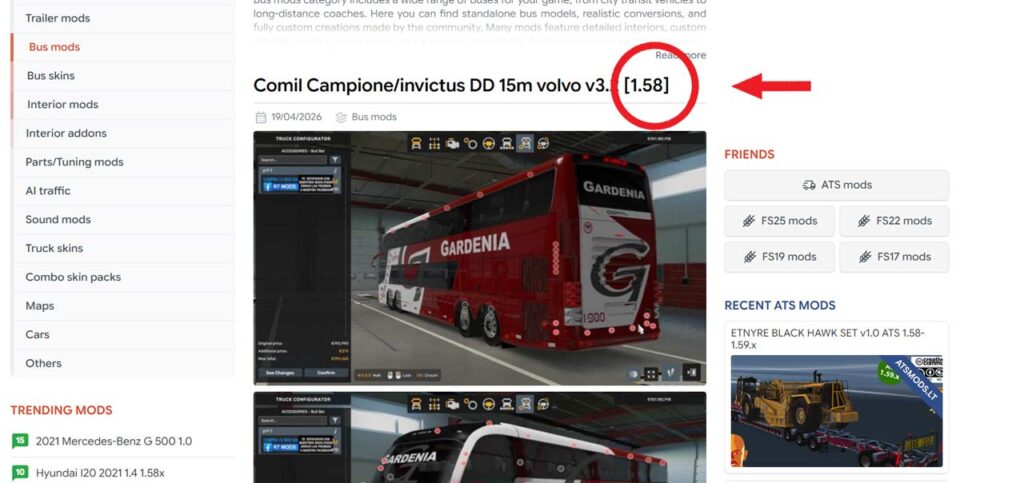
2. Check that the version of the game (1.xx) matches the version of the mod to avoid compatibility issues. You can check for the version of the game on the menu page of the game, as shown in the image below, and the version of the mod should appear on the title or in the description of it. Some mods may work with different game versions too, but if it doesn’t work, it’s probably because of this.
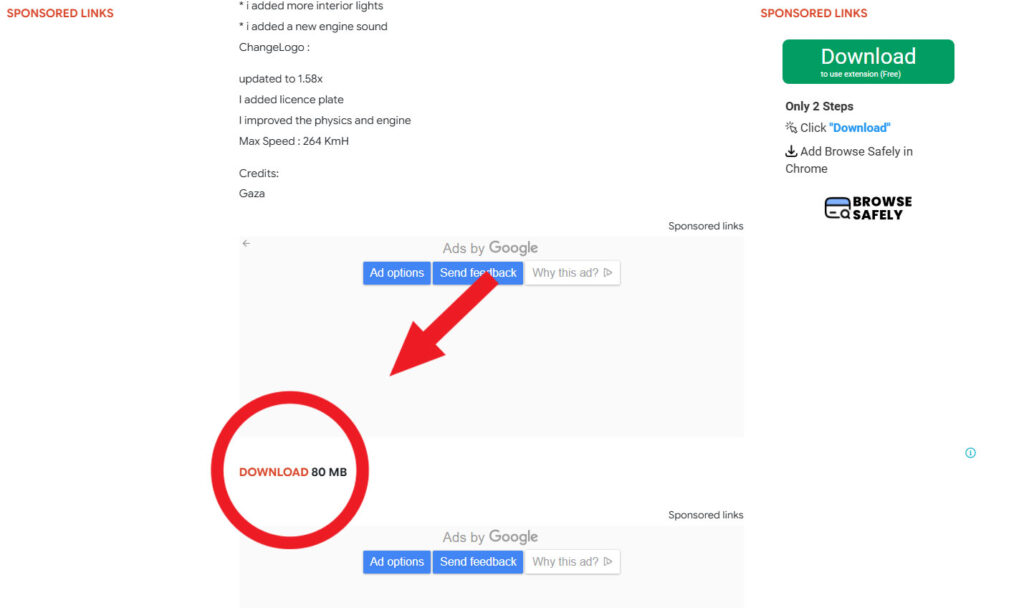
3. Enter on the selected mod page and scroll down to download the file by clicking on the “Download” button of the mod site, not the button of the ads.
On this page, for example, the green button at the right is the false download link, you can see that above it there is text that says “sponsored links.” And the original download button is the tiny one at the bottom of the page.
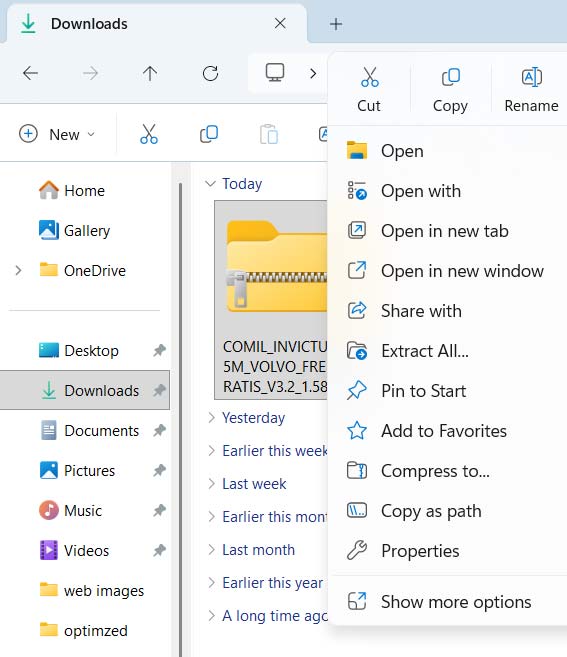
4. Once you have the file already downloaded, open the file explorer and go to “Downloads”.
5. Right-click on the mod file of the bus and select “copy” or “cut”.
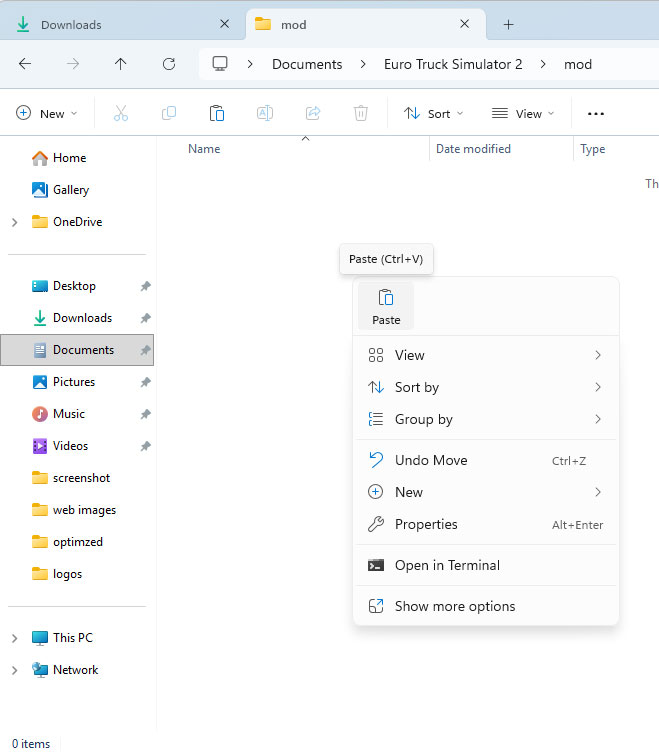
6. Go to the following path in the file explorer: Documents – Euro Truck Simulator 2 – mods.
7. Open the mods folder, right-click inside the folder and select “Paste“.
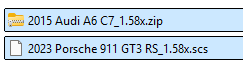
8. If the file is .rar or .zip (like the one I downloaded), right-click on it and select “Extract here”, this means that the mod file is inside a compressed folder to optimize the size of the file.
If not (if it is .scs), ignore this step.
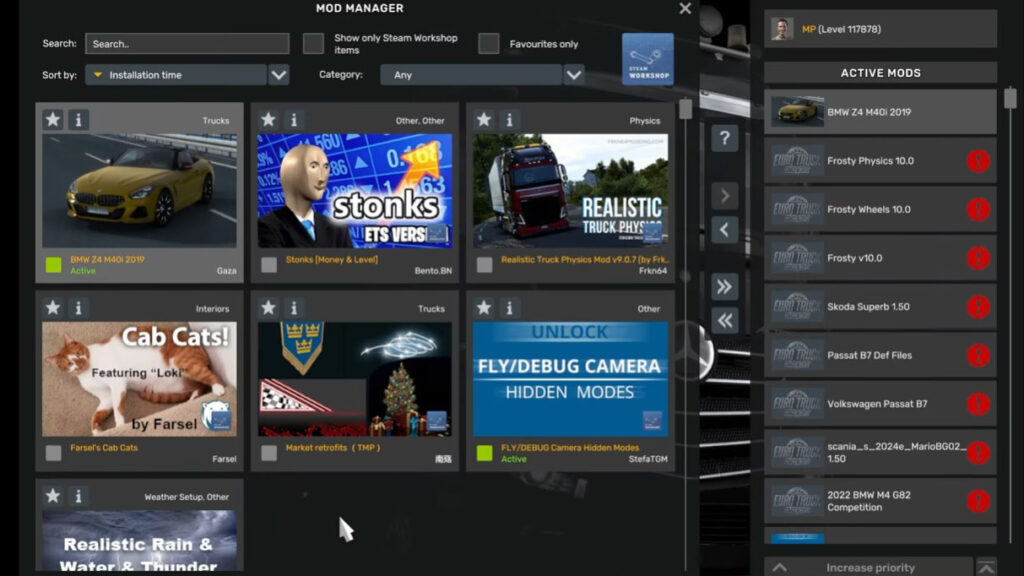
9. Now open the game and go to “Mod Manager” in the options of the menu.
10. You should see a photo and the name of the bus you’ve just downloaded.
11. Double-click on the photo of the bus until a green circle appears around the bottom left part of the car to activate the mod.
If you have more than one file of the same bus, you need to activate each one.
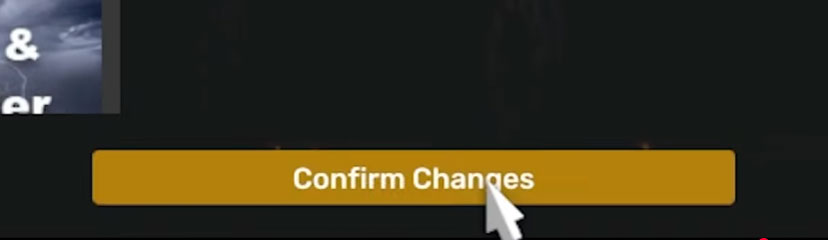
12. Now click the button down below that says “Confirm changes“.
13. Log in to your profile like you normally do.
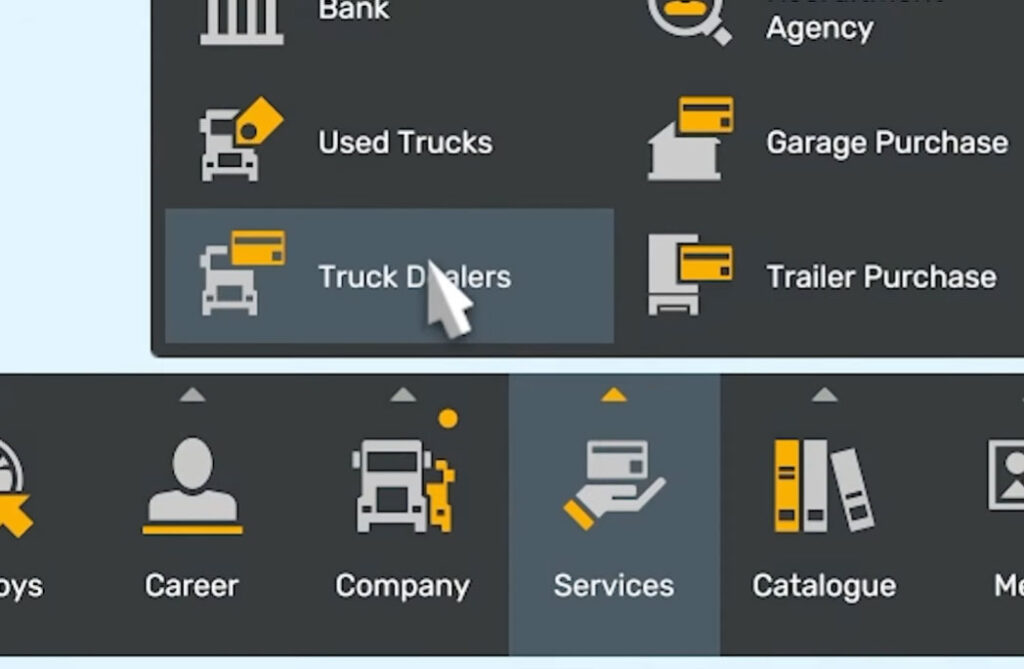
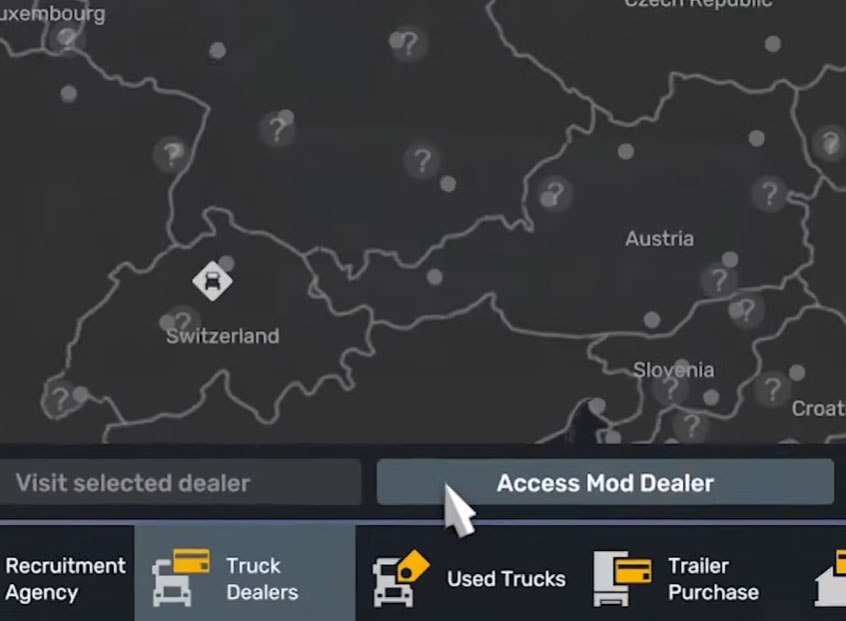
14. Go to the truck dealers, and at the bottom right part of the screen, you should now see a button that says “Access mod dealer“. Click on there.
15. You now have the option to buy the bus directly or customize it previously, just like you would buy a normal truck.
16. Enjoy your bus mod in Euro Truck Simulator 2! 🙂
Best bus mods
- MAN Lion’s Coach 3rd Gen: https://ets2.lt/en/man-lions-coach-3rd-gen-2018-2024-1-58/
- Mercedes-Benz New Travego 15 SHD: https://ets2.lt/en/mercedes-benz-new-travego-15-shd-1-58/
- Neoplan New Tourliner C13: https://ets2.lt/en/neoplan-new-tourliner-c13-1-58/
Note that these mods are the ones that I, personally, find to be the best ones out there, but there are also lots of good ones too!
Lastly, I remind you that if you run into issues, the most common fix is to verify the compatibility of the game version with the mod version (step 2 on this guide).
And I highly recommend you lower the braking intensity in the game settings to make the bus feel like a real bus and not like a truck.
If you have any question or issue, feel free to go to my YouTube video where I cover this topic and leave a comment. You can also check the comments of the video if your issue has already been fixed for another person.
If you found this guide helpful, I remind you that I have more like this one on this web or on my YouTube channel, you can go check them out if you want!
